Introduction
Creator profiles exist all over our platform and give users a unique insight to a creators social performance, personality, and key details. In search you can view full creator profiles, in other areas of the platform side panel profiles will appear with key information about the creator. These help you make informed decisions about the creators you would like to add to your community, participate in campaigns, or outreach to.
Quick notes before you dive in
Profile information is dependent on a creators API connection from their social platforms. For more information check out our social connections documentation!
Creator demographic information such as gender and race are self declared, creators can update them at any time.
Updates
Recently the (BETA)New Stats page went live! You can check it out on any creator profile, here is an example. As always we would love to hear your feedback!
Training Materials
this section holds all the training materials you need to successfully build your Bulletin!
Profile Tabs
- Creator profiles provide detailed metrics to help you identify ideal partners. By leveraging Instagram and TikTok integrations and AI, Fohr delivers in-depth insights into each influencer’s performance. Each section of the profile offers unique information:
- Preview:
- Videos on the left showcase samples of reels or similar content.
- Basics:
- Provides an overview of the influencer’s performance, including views and content types.
- Switch between connected profiles by selecting a platform from the dropdown on the right.
- Content:
- Explore content highlights in one place, including top-performing posts, recent sponsored content, and new uploads.
- Use these insights to make informed partnership decisions.
- Stats:
- Delivers detailed performance metrics essential for understanding an influencer's success.
- Toggle between connected profiles using the dropdown on the left.
- Audience:
- Breaks down demographic data about the influencer’s audience.
- Details:
- Includes information provided by the influencer at signup, such as contact details.
- Testimonials
- Check out our full testimonial documentation
- Preview:
- For more on metrics and calculations, check out our Data training document.
Press Kits
- A place to show off creators highlights. It includes their information, metrics, and samples of content.
- Press kits can be used for creators to pitch themselves to a brand or even used by brands to learn more about the creator.
- To download click “Press Kit” on the top right of the profile.
Off-Platform Creators
Creating an Off-Platform profile
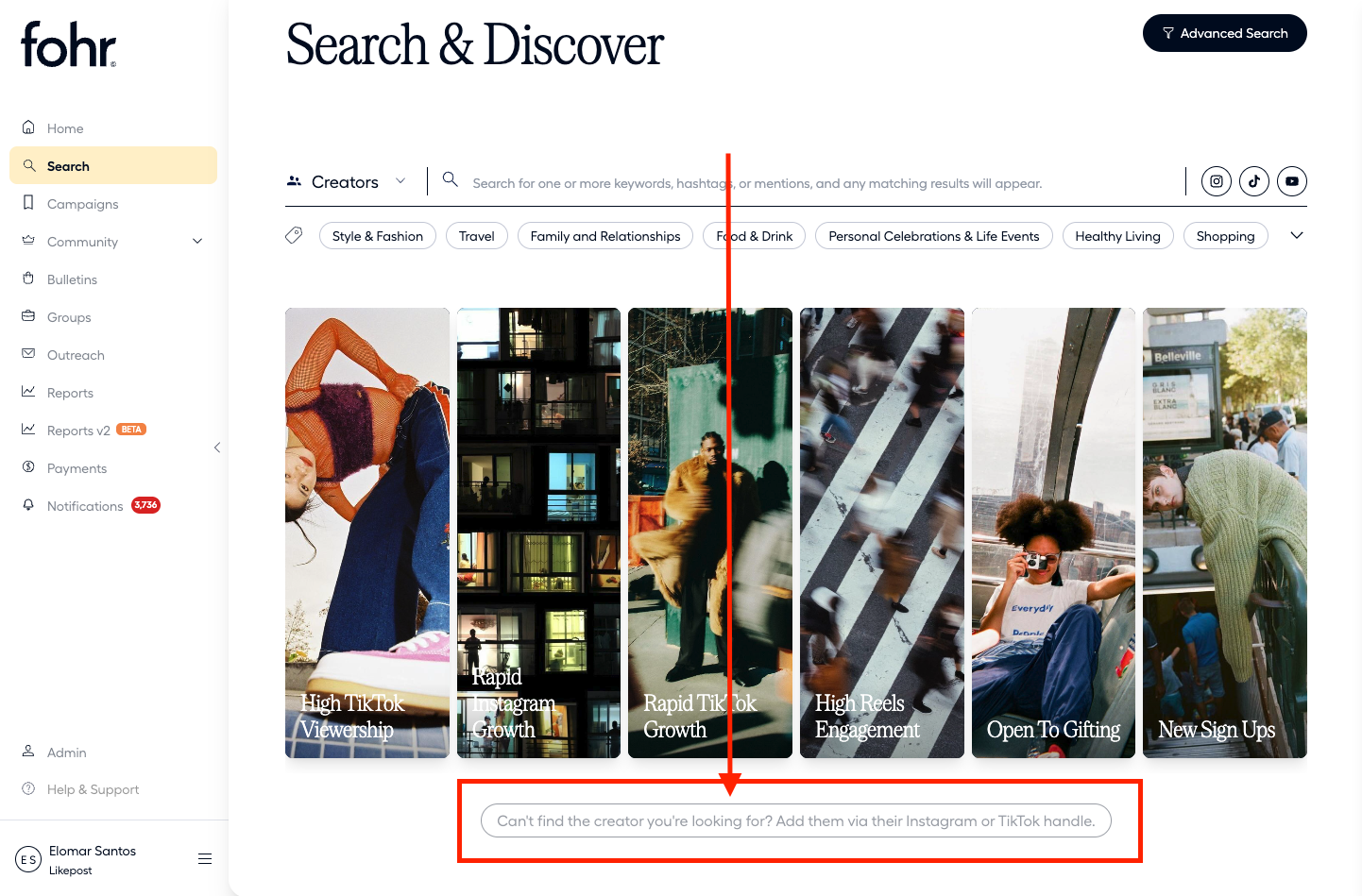
- In Creator Search you can see a CTA at the bottom of the page stating “Can't find the creator you're looking for? Add them via their Instagram or TikTok handle.”
- Click this button to create an off platform profile
- enter the creators handle from instagram or TikTok then click “Check Username”
- If there is a platform match it will appear! Click “Add Platform” to the correct profiles
- Click “Create”
- Wait for the magic to happen and BOOM a new creator profile will be created. These profiles use discovery API. For more information check out our social connections documentation!
- Click this button to create an off platform profile
Inviting an off-platform creator to Fohr:
- Go to the creator’s profile
- You can find this in the participants page! Simply click their name.
- You can also access this directly on the influencers profile in search.
- Click the ellipses (... ) on the top right
- Select “Invite Creator to Fohr”
- Enter the influencer’s email address and click Send Invite